

Ever since starting at Fenwick more than ten years ago, I have heard a variety of comments across every industry that begin with, ‘Surely the system does xyz’. To the vast majority of these, I’ve confidently been able to answer, ‘We have an app for that,’ and now, you can too. We’re kicking off a series of articles dedicated to our apps. Apps that are built to enhance Dynamics 365 Business Central that we have always used as part of all of our implementations and are now available to everyone to download from AppSource, starting with the Foundation Pack.
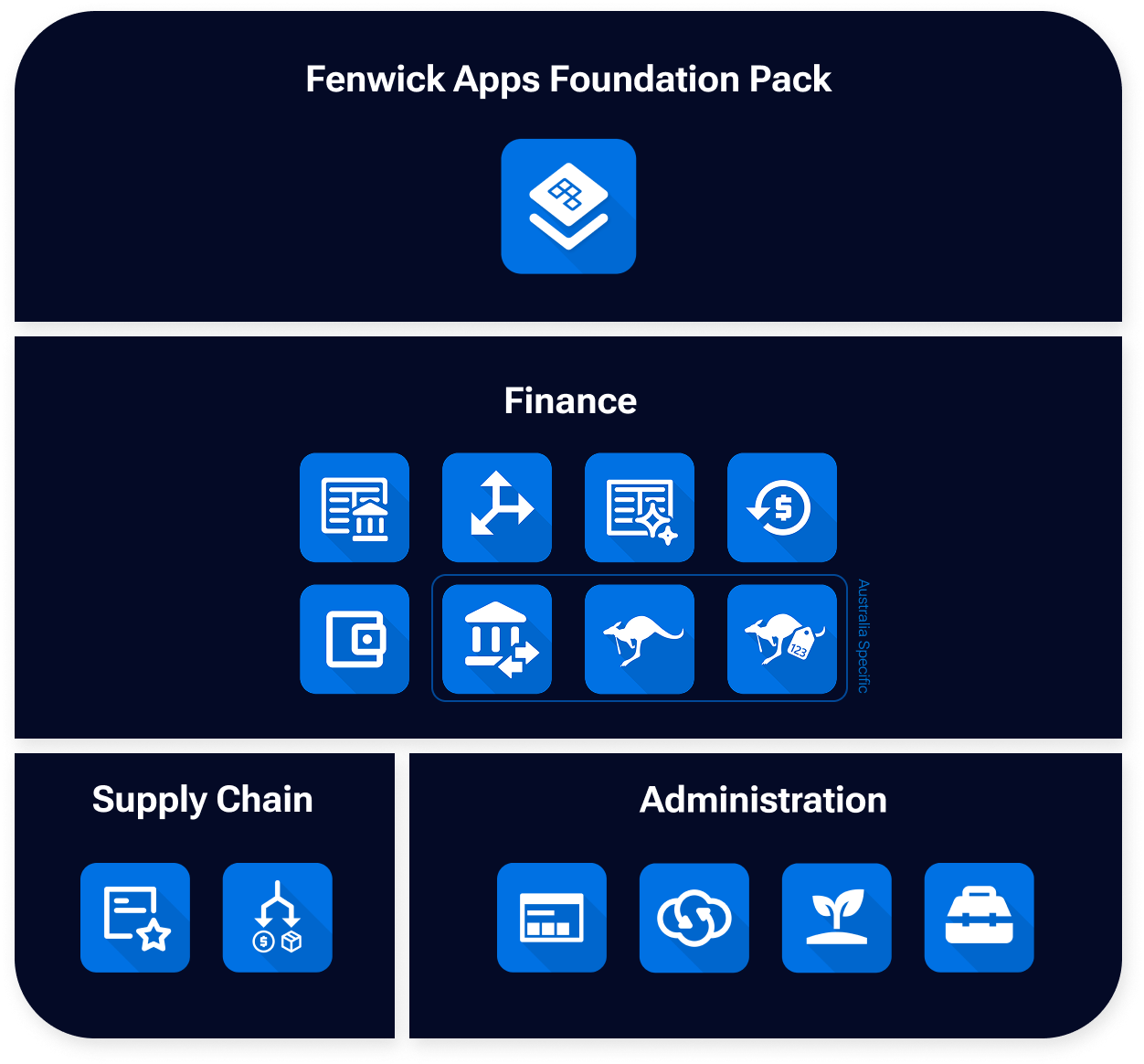
The Fenwick Apps Foundation Pack is a collection of essential apps that help extend the core functionalities of Dynamics 365 Business Central. It is a pack that we as consultants use as a base for every new implementation. Each app plays a vital role in setting a business up for success, and now it’s as easy as downloading from AppSource, with all the foundational apps you need packaged nicely into a pack, and at a discounted rate.
Avoiding disastrous disappointment with Advanced Default Dimensions
Dimensions act like tags or labels assigned to records and entries, such as sales, purchases, or General Ledger postings. They add structure to your data, supporting clearer reporting and more informed decision-making within Business Central, but their ease of entry is one of the concerns I often see users raise.
By standard, they access a subpage and choose which Dimensions apply to that type of record (e.g., Customer, Item, Vendor) and if a user forgets to do this, it will have significant flow-on impact to the rest of the business. If Dimensions are made mandatory, this will not be checked until posting a document for the related record which interrupts a crucial processing step.
For example, a salesperson may fight hard to win over a new customer and on getting the contract over the line, immediately enter their contact details into Business Central so the first order can be entered. In their excitement, they forget to open the Dimensions page and enter the CUSTOMERSIZE as ENTERPRISE.
A week later, after the warehouse has pulled double shifts to prepare the containers to be delivered, and all other customers’ orders have been negotiated to be delayed, they attempt to post the shipment and print the Delivery Docket. They’re presented with a Dimension error that CUSTOMERSIZE must be populated and so are unable to prepare the documentation and the logistics provider refuses to load the containers.
Your hard-won enterprise customer is immediately disappointed that their first order can’t be delivered on time, all the other loyal customers are already disappointed that their own orders have been delayed, the warehouse users are disappointed that their hard work was for nothing, and the salesperson is disappointed with themselves because they think it’s all their fault.
This could all have been avoided with Advanced Default Dimensions. Each type of record can be configured with its own relevant Dimensions which are exposed on the card page for streamlined population from users. Your salesperson would have been reminded to enter it, and you would have been able to deliver your new enterprise customer their first of many orders with no issues and with sleekly formatted documentation emailed directly to the right people.
Giving luxury design with Good Looking Documents
Continuing our example of selling to a brand-new enterprise customer, we need to ensure the right documents are provided to the right people.
The Delivery Docket needed to be printed so the logistics partner would accept the order, but it may also need to be emailed to the warehouse manager so they can effectively plan their staff when the containers arrived. The Accounts Payable team also need to be emailed the invoice, so you get paid on time and maintain cash flow, while ensuring the warehouse manager doesn’t see the invoice since prices are confidential.
On top of setting different email addresses to receive different documents, who the sender is needs to be considered as well. For your original Sales Quote, you want to maintain the personal touch of it being sent directly from the salesperson. When it comes to the invoice though, your Accounts Receivables team should take over and be the sender address, so any replied communication can be managed by them, rather than forwarded through the salesperson who is on the road trying to win more deals.
Across all these scenarios, you want the documents themselves to represent your organisation while being professional and communicating information clearly. Whether it be the lot tracking information for the stock you’re selling, any pending back orders yet to be shipped, or the payment options available for a customer. What is printed on the document is as important as who receives it.
This is made easy with our Good Looking Documents app. Good Looking Documents gives you consistent control of sender and receiver email addresses and includes well-formatted document layouts which allow dynamic customisation of colour schemes and additional text specific to your organisation. This gives you full control over what information you send to a customer or vendor, and who receives it.
Staying closer to home, there are three apps we always recommend for Australian businesses: ABN Validator, which ensures data integrity of a critical government-mandated field; Advanced EFT which ensures data integrity of banking details and offers and in-system solution for creating payment files to upload to Australian and New Zealand banks; and Australian BAS Improvements which improves in-system BAS Reporting and how the GST Settlement for government submission is calculated.
These apps and eight others are included as part of the Foundation Pack of apps provided by Fenwick Apps and available in the AppSource gallery. They represent the minimum required functionality to get the most out of your system and are offered at a discounted price when bundled all together.
Stay tuned
Over the coming weeks, we’ll focus on other apps within this pack to provide you with the knowledge to take on Business Central and thrive.
FAQs
- A bundled collection of essential apps designed to enhance standard Dynamics 365 Business Central functionality.
- Provides commonly requested features without requiring custom development.
- Used as a starting point for new implementations to ensure consistency and completeness.
- Offered as a packaged set to simplify deployment and reduce cost compared to individual apps.
- Available via Microsoft’s official AppSource for business applications.
- Installs directly into your environment with no complex setup.
- Delivered as certified extensions for reliability and security.
- Can be deployed during implementation or added to an existing system.
- Every organisation has unique operational and reporting requirements.
- Extensions allow you to adapt the system without modifying core code.
- Reduces reliance on costly, hard-to-maintain customisations.
- Makes it easier to adopt updates while still meeting business needs.
- Prompts users to enter required data earlier in the process.
- Prevents posting errors caused by missing dimension values.
- Reduces workflow interruptions in sales, warehousing, and finance.
- Improves the accuracy and reliability of reporting.
- Add structured tags to transactions such as customer type, location, or business unit.
- Ensure consistent data capture across teams.
- Enable more meaningful analysis without manual correction.
- Provide leadership with clearer visibility into performance drivers.
- Controls who receives specific documents (e.g. invoices vs delivery dockets).
- Allows different sender addresses depending on the business process.
- Ensures branding, formatting, and messaging remain professional and consistent.
- Adds operational details such as tracking information or payment instructions.
- In many cases, yes, by delivering functionality that organisations commonly request.
- Apps are based on proven, repeatable solutions rather than one-off builds.
- Reduces project risk, cost, and long-term maintenance.
- Still allows flexibility to extend further if required.
- The apps are delivered as extensions that sit alongside the core platform and are designed to align with the modern update model.
- Minimises upgrade disruption compared to customised environments.
- Organisations starting a new Dynamics 365 Business Central implementation.
- Businesses wanting to standardise processes across departments.
- Companies needing stronger reporting structure and data discipline.
- Teams looking to minimise customisation while maximising capability.
- Establishes clean data and processes from day one.
- Prevents rework caused by missing functionality later.
- Supports smoother scaling as the business grows.
- Creates a stable base that allows future innovation with confidence.