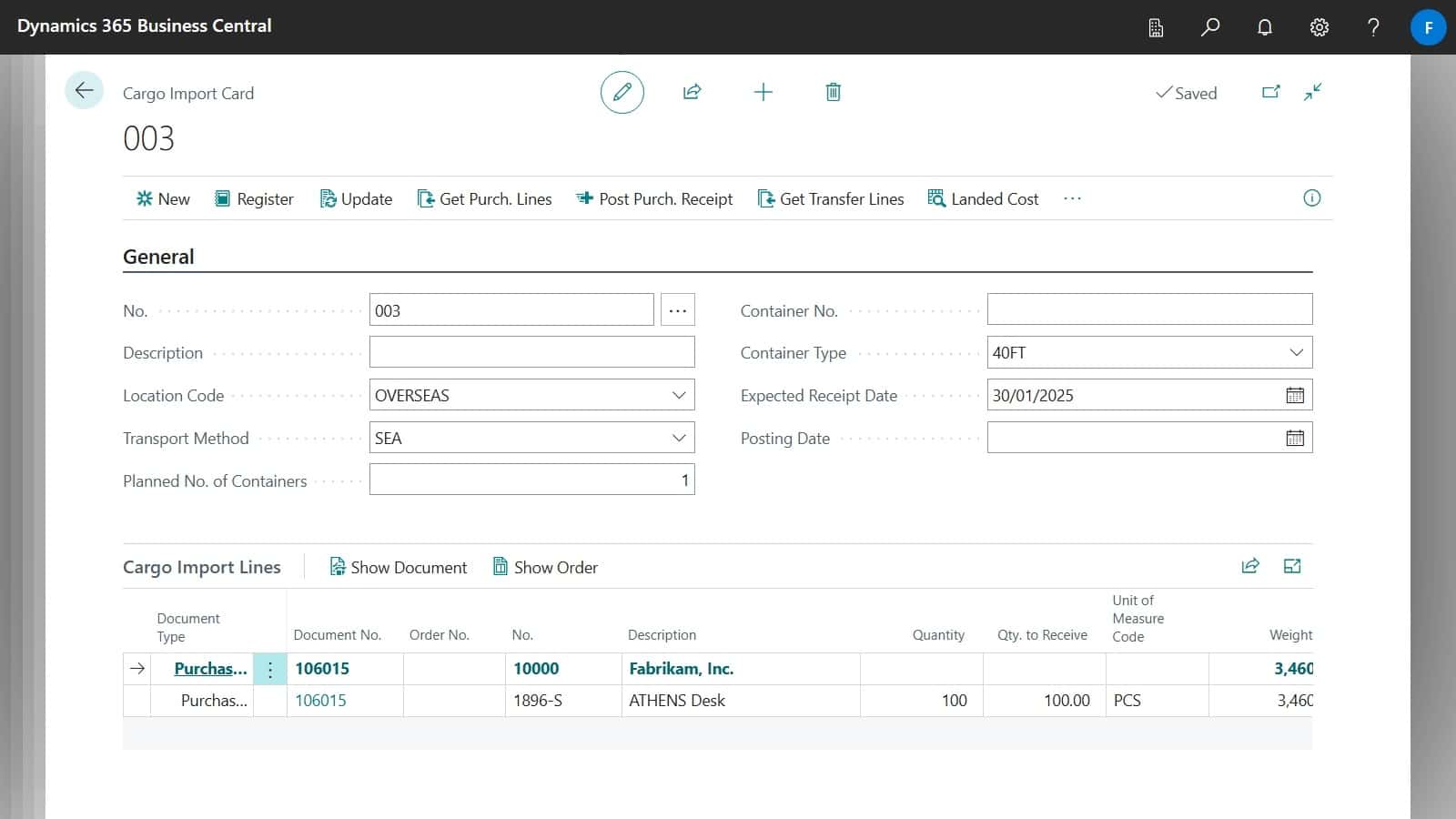
Cargo Imports represents the goods being transported.
To create a Cargo Import:
- Navigate to Cargo Import Card.
- Select the same Location Code as the Import Location Code on the Purchase Order.
- This location is where the cargo is being shipped from.
- Fill out the fields under the Shipping tab.
- Next, you can have your Cargo Import linked to Purchase Orders and the requisition Worksheet.
- See Linking Cargo Imports for more information.
- Select Post Purch. Receipt to post the related purchase orders when the consignment has departed.
- This will create a new transfer order from the Overseas Location to the Destination Location, it will be automatically shipped and be In-Transit awaiting receipt for when it arrives at the Destination.
| Field | Description |
|---|---|
| Expected Receipt Date | Specifies date that all the stock related to that Cargo Import is expected to be receipted into the warehouse. Changing it on the Cargo Import will update every related document. |
| Location Code | Specifies the location where the cargo is being shipped from. |
| Import Location Code | It is in charge of making the Purchase Order turn into a Transfer Order. |