
Many people don’t realise that Anthropic’s Claude models are available within Microsoft 365 Copilot. If you already have a Copilot subscription, you can choose between OpenAI and Anthropic models for different tasks, without paying for separate subscriptions.
This article explains how model selection works in Copilot, when you might choose a specific model, and how Microsoft manages security and governance across them.
What’s an AI model and AI harness?
Before looking at model selection, it’s helpful to understand two common AI terms: models and harnesses.
An AI model is the underlying large language model (LLM), the intelligence that generates responses. Examples include OpenAI’s GPT models and Anthropic’s Claude models.
An AI harness is the application or interface you interact with. It connects you to one or more AI models and provides the experience you use every day.
Think of it like this:
- The model is the engine
- The harness is the steering wheel
Different models are trained with different strengths, while the harness decides how you interact with them.
Microsoft maintains agreements with AI providers such as OpenAI and Anthropic, allowing it to integrate supported models directly into the Copilot experience.
How model selection works in Copilot
Microsoft 365 Copilot is the harness included with your Copilot subscription.
By default, Copilot uses Auto mode, which automatically selects the model it believes is best suited to your prompt.
If you prefer, you can manually choose a model using the Choose model selector in the top-left corner. Depending on what’s available in your tenant, this may include OpenAI GPT models as well as Anthropic Claude models.
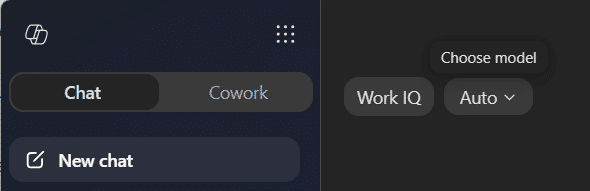
Whether you prefer Claude Sonnet, Claude Opus or an OpenAI model, you can select it directly or simply leave Copilot on Auto and let Microsoft make the decision for you.
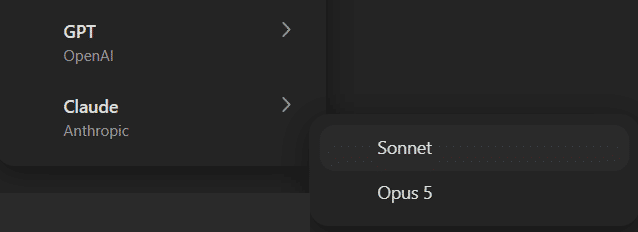
Model selection in Copilot Cowork
Copilot Cowork extends this concept further. Designed for longer-running, agentic tasks, Copilot Cowork can complete work once or run on a schedule, allowing you to automate recurring activities.
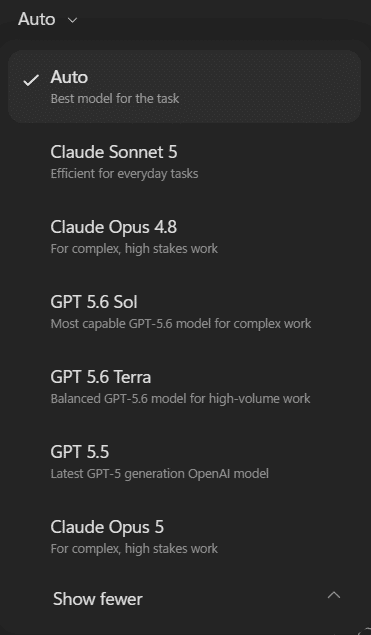
Like standard Copilot, you can either let Microsoft automatically choose the most appropriate model or manually select one yourself. Several model names may be familiar here including GPT 5.6 Sol and Claude Opus 4.8.
Beyond Copilot
Model selection isn’t unique to Microsoft 365 Copilot.
Platforms such as Microsoft Copilot Studio and Microsoft AI Foundry (formerly Azure AI Studio) provide even greater control over model routing, behaviour and agent configuration, giving organisations more flexibility when building custom AI solutions.
Does my security and governance still apply?
Yes! Regardless of whether Copilot routes your prompt to an OpenAI or Anthropic model, your existing Microsoft 365 governance and security controls continue to apply.
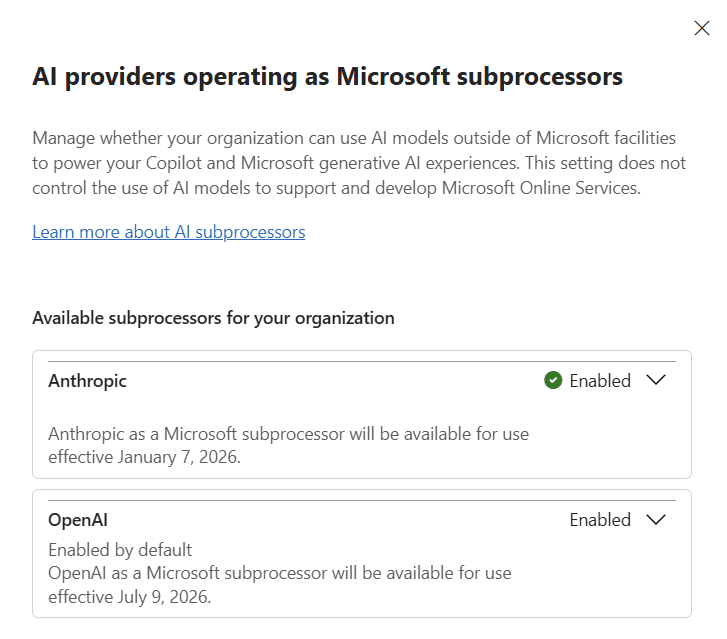
Microsoft manages these providers under its subprocessor agreements, meaning the same security, compliance and administrative controls configured in the Microsoft 365 admin center remain in effect.
For many organisations, this integrated governance is one of the key reasons for choosing Microsoft 365 Copilot over standalone AI services.
Enabling additional AI models
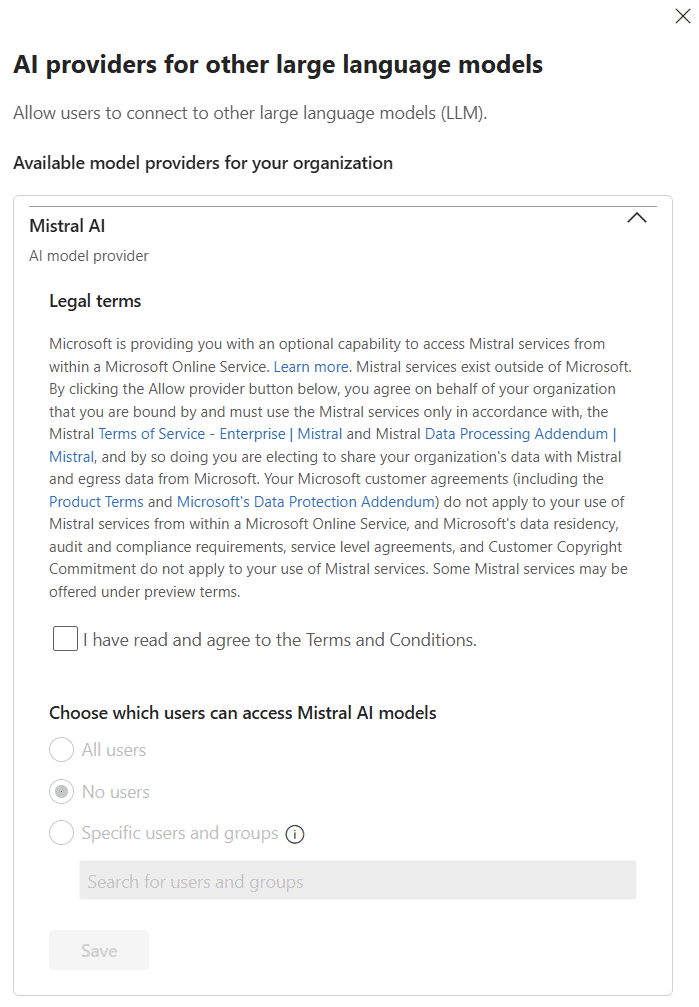
As Microsoft introduces new models, administrators can choose whether to make them available within Copilot.
To configure these, you need someone with either the Global Administrator or AI Administrator role to perform these steps:
- Open the M365 admin center.
- Click Copilot in the left hand side, then Settings.
- Under View All adjust the following:
- “AI providers operating as Microsoft subprocessors”
- “AI providers for other large language models”
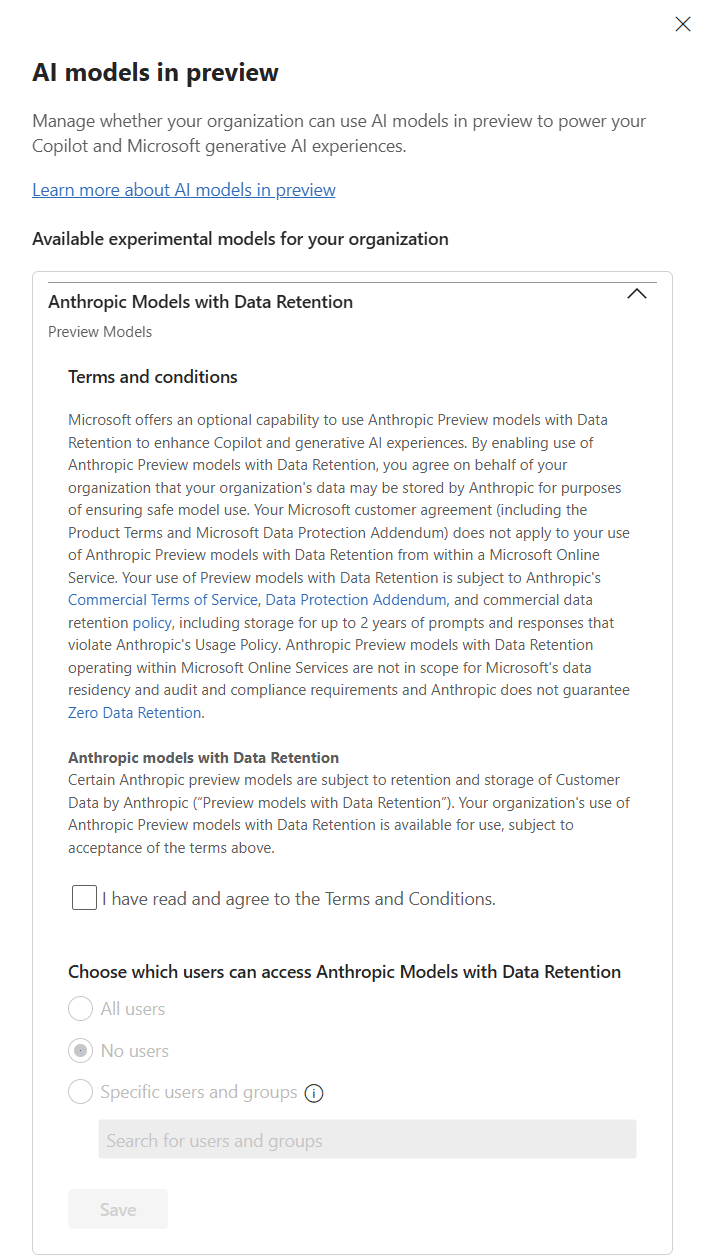
- “AI models in preview”
Some preview models, such as Anthropic’s Fable 5, also require administrators to accept additional data processing terms before users can access them.
One subscription, multiple AI models
Microsoft 365 Copilot is more than just access to a single AI model. It gives you the flexibility to use both OpenAI and Anthropic models within the same secure, governed environment.
Whether you leave model selection on Auto or choose a specific model for a particular task, Copilot makes it easy to take advantage of each model’s strengths without juggling multiple AI subscriptions or compromising on security.
As AI models continue to evolve, Microsoft 365 Copilot provides a single, enterprise-ready experience that gives organisations access to new capabilities while keeping governance, compliance and administration in one place.